
If your quoting runs on Salesforce CPQ, a Salesforce CPQ to Revenue Cloud migration is probably on someone’s roadmap, even if nobody has put a date on it. CPQ stopped being sold to new customers in March 2025. It still works, you can still renew and add users, and Salesforce hasn’t announced an end-of-life date. But it gets no new features, and Revenue Cloud Advanced is where Salesforce is investing. The real question isn’t whether to plan the move. It’s how to plan it so quoting never stops and the numbers on your quotes don’t change by accident.
It’s a re-implementation, not an upgrade
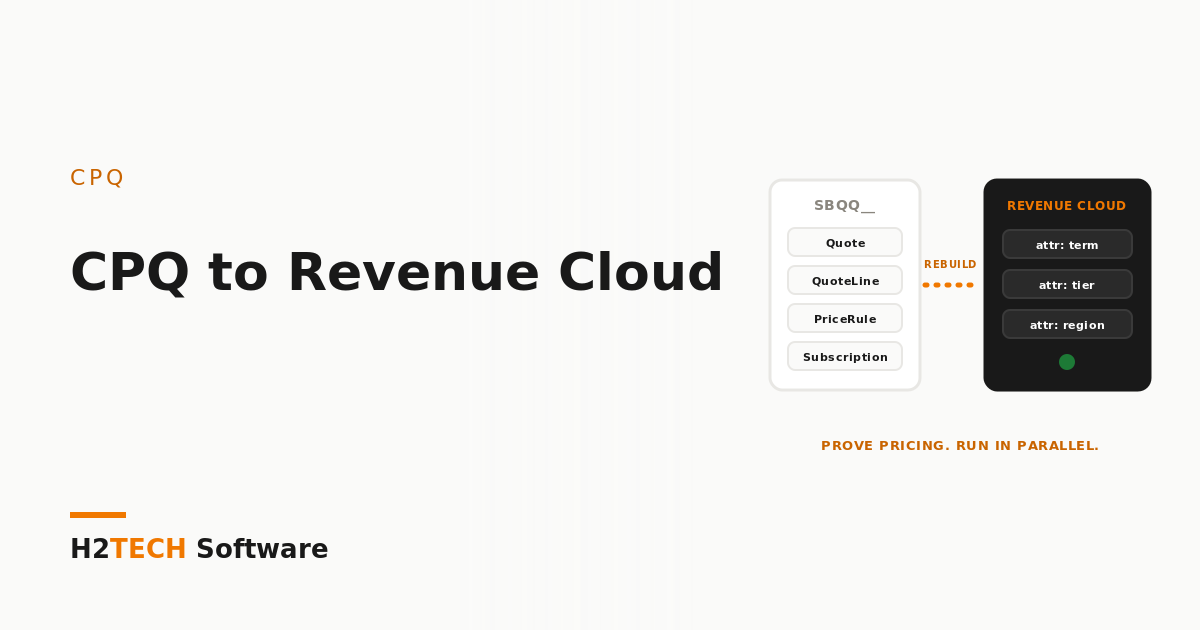
The single most important fact: there is no switch that converts your CPQ org. Salesforce CPQ is a managed package with its own objects, all prefixed SBQQ__. Revenue Cloud Advanced is built on core Salesforce objects with a different data model. Records such as products, price book entries, quotes, contracts and subscriptions can be migrated, usually with partner accelerators; check the current status of Salesforce’s own migration tooling before you plan around it. The logic can’t be migrated. Price rules, product rules, custom Apex in a Quote Calculator Plugin, document templates and integrations all have to be redesigned for the new engine.
That changes how you budget. A straightforward move can take a few months. Complex orgs, with years of rules and live subscriptions, routinely run programmes of a year or more. Plan for the org you actually have, not the demo.
What changes under the hood
Three shifts drive most of the work:
- The catalogue. CPQ models variety with SKUs, bundles and options. Revenue Cloud uses an attribute-based product catalogue, where one product with attributes such as term, tier or region can replace dozens of near-duplicate SKUs.
- Pricing logic. Price rules and discount schedules give way to declarative pricing procedures. Every rule needs to be understood, simplified where possible, and rebuilt.
- Configuration and lifecycle. Product rules become constraint-based configuration rules, and amendments and renewals work from assets rather than CPQ’s subscription objects.
None of this is bad news. A catalogue that has grown by copy-and-paste for six years usually gets smaller and cleaner. But it means the migration is a design project first and a data project second.
Step 1: Inventory before anyone quotes a timeline
Before you talk to vendors, count what you’re carrying: active price rules, product rules, bundle types, discount schedules, custom Apex that touches the calculator, quote templates, and every system that reads or writes quote data. Then rank your pricing models by revenue. In most orgs, two or three models carry the bulk of the business and a long tail of exceptions carries the risk.
This is also the moment to retire what nobody uses. Rules that haven’t fired in a year and products nobody has sold don’t deserve a rebuild. The cleaner the CPQ org, the cheaper the move, which is why work like getting multi-currency pricing data complete pays off either way.
Step 2: Prove the pricing first
Don’t start with the catalogue screens. Start by rebuilding your highest-revenue pricing models in a Revenue Cloud sandbox and proving they produce exactly the same numbers as CPQ for the same deals. If the price changes, finance will notice before sales does. This is where modelling the pricing you really run matters most, the theme of configuring CPQ around real pricing complexity.
Step 3: Run both engines in parallel
The safest cutover is a gradual one. Put a set of real deals through both systems and reconcile them line by line: price, discount, approvals, and what reaches billing and the ERP. When the numbers match, start new deals in Revenue Cloud while existing contracts stay in CPQ until renewal, so you never move a live contract mid-term.
A parallel run is only as good as the test data behind it. The sandbox needs realistic accounts, opportunities, quotes and contracts with their relationships intact, not three hand-made records. This is where iSyncSF earns its place: it clones related records natively inside Salesforce, so test environments mirror real deals without broken lookups. When the final cutover comes, the rehearsal, freeze and rollback discipline is the same one we use for any zero-downtime org cutover.
Step 4: Decide what not to move
Migration is a chance to choose. Historical quotes older than your reporting needs may be better archived than converted. Some teams use the move to revisit the engine itself; if that’s on the table, compare the options against your hardest deal, as we outlined in Conga CPQ vs Salesforce CPQ in 2026.
If you’re not ready to move yet
Staying on CPQ for now is a legitimate decision. It’s supported and renewable. Use the time well: document your pricing logic, clean the catalogue, remove dead rules, and fix data quality. Every one of those steps shortens the eventual migration and improves quoting today.
How we help
We start with a fixed-scope CPQ migration assessment: a full inventory of rules, custom code, templates and integrations, your pricing models ranked by revenue, and a phased plan with a realistic timeline. Our CPQ consultants have configured catalogues of 10,000+ SKUs and cut quote times from hours to minutes, so we know where pricing complexity hides. Our AI agents do the heavy lifting on the inventory and rule analysis, and we absorb that compute cost. A certified engineer reviews every finding before it reaches your plan.
Key takeaways
- A Salesforce CPQ to Revenue Cloud migration is a re-implementation: records can move, but pricing rules, product rules and custom code are rebuilt.
- Inventory and clean up first, then prove your highest-revenue pricing in a sandbox before touching anything else.
- Run both engines in parallel on realistic, relationship-intact test data, and move existing contracts at renewal rather than mid-term.